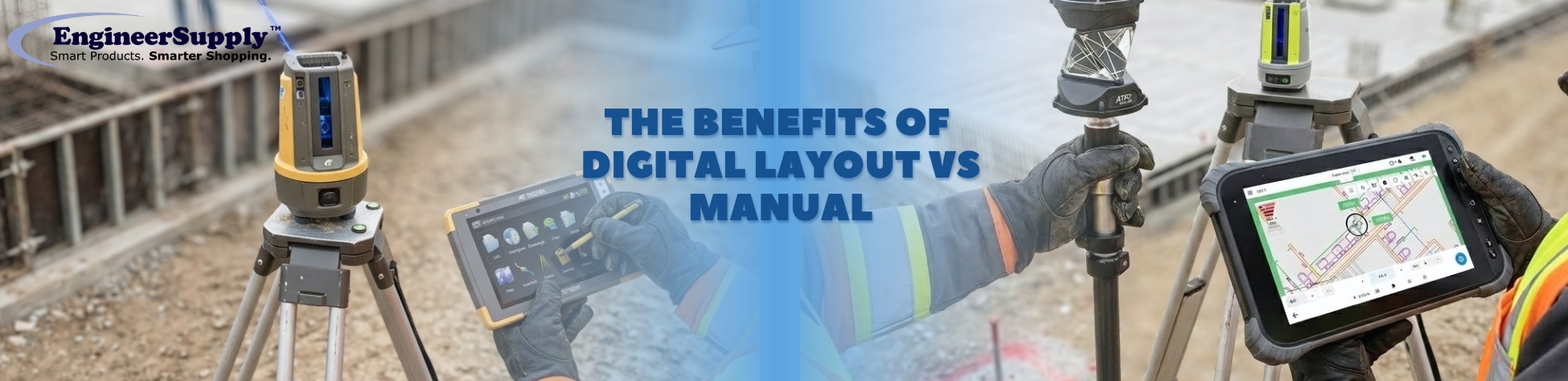
Accurate layout is the backbone of every successful construction project. For decades, crews have relied on manual methods tape measures, stakes, and string to get the job done. These methods work, but they come with limitations: human error, slow execution, and high labor demands.
Digital layout tools have changed the rules. With systems like the Topcon LN-150 and LN-50 Layout Navigator, a single operator can handle tasks that once required several crew members. These tools save time, reduce errors, and give construction teams more control over their work.
This guide explains the benefits of digital layout tools, the drawbacks of manual layout, and how modern technology can improve every project.
Code for this format
Why Contractors Are Switching to Digital Layout Tools
Digital layout tools offer clear, practical advantages that directly impact jobsite performance
1. Save Time
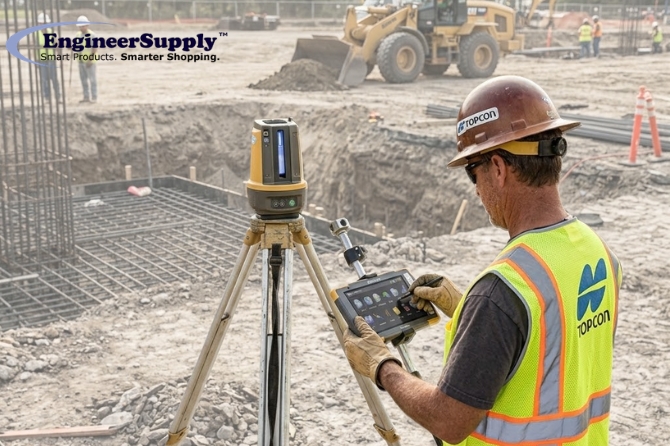
Manual layout can take hours for simple measurements. Every adjustment, every check, requires re-measuring. Digital tools let a single operator quickly set reference points, adjust elevations, and mark positions with confidence. The result is faster execution with fewer people on site
2. Work Faster, Right the First Time
With manual layout, mistakes are common. Misplaced stakes or an inaccurate measurement can create delays, forcing crews to redo work. Digital tools provide exact guidance, so tasks are completed correctly on the first attempt, avoiding unnecessary delays and wasted effort.
3. Increase Accuracy
Tools like the LN-150 and LN-50 integrate with CAD and BIM files and use laser technology to ensure layout points are exact. This precision reduces errors, eliminates guesswork, and ensures that every element of the project aligns with the plans.
4. Easy for Teams to Use
Despite their technical capability, modern digital layout systems are simple to operate. Operators learn quickly, and the intuitive interfaces reduce mistakes. Tasks such as laying out foundations, grading pads, or installing MEP components can be handled more efficiently by fewer people.
5. Reduce Rework
Errors are expensive. Digital tools minimize the risk of mistakes, meaning less rework and lower labor and material costs. Crews can move through projects confidently, knowing the work is accurate and aligned with design plans.
Common Problems with Manual Layout
Manual layout methods are familiar but come with inherent challenges:
- Time-Consuming: Measuring and re-measuring, transferring points manually, and verifying alignments can slow progress.
- Error-Prone: Even experienced crews can misplace a stake or misread a drawing. Small errors compound quickly.
- Labor-Intensive: More people are required, which drives up costs and complicates scheduling.
- Hard to Adjust: Changes in plans or site conditions require manual recalculation and re-measuring.
- On-Site Safety:Using stakes and measuring tapes on uneven surfaces puts workers at risk.
While manual layout methods can get the job done, they leave crews exposed to delays, inaccuracies, and inefficiencies.
Best Digital Layout Tools
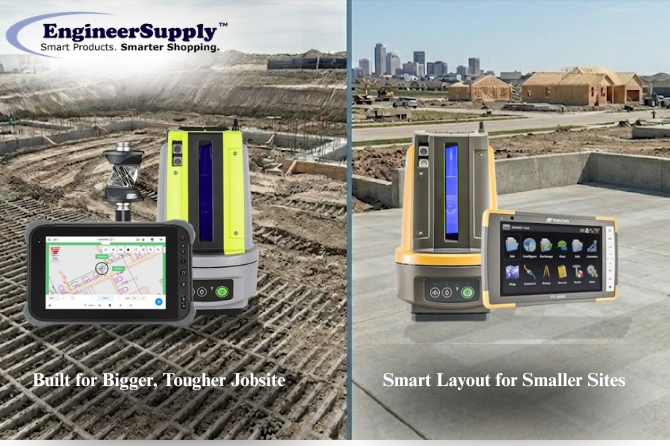
Investing in the right digital tools makes the benefits above tangible. Two standout products are the Topcon LN-150 and the LN-50 Layout Navigator.
The LN-150 is a 3D laser layout system designed for versatility and efficiency.
- Versatile Applications: Works for forms, foundations, footers, landscaping, grading pads, and MEP layout.
- Self-Leveling Laser: Reduces setup time and ensures exact measurements.
- One-Person Operation: A single operator can handle tasks that previously required several crew members.
- Real-World Results: Used in pool construction, site grading, and building projects, the LN-150 cuts layout time, improves accuracy, and minimizes rework.
The LN-50 combines a digital tablet interface with laser-guided layout for a streamlined experience.
- CAD/BIM Integration: Import plans directly into the system for exact positioning.
- Intuitive Use:Quick setup and simple operation mean crews can adopt it without steep learning curves.
- Real-Time Adjustments:Make changes directly on the tablet and update layout points immediately.
- Multipurpose:Ideal for grading, machine guidance, and utility layout.
Digital vs Manual Layout: Detailed Comparison
| Feature |
Digital Layout Tools |
Manual Layout |
| Time Efficiency |
Single operator completes multiple tasks quickly |
Requires multiple crew members, slow adjustments |
| Accuracy |
Integrated with CAD/BIM, laser-guided for precision |
Prone to human error; verification is manual |
| Ease of Use |
Intuitive interface; minimal training required |
Requires experience; complex to learn |
| Rework |
Rare; high precision reduces mistakes |
Common; errors propagate through project |
| Labor Requirements |
Fewer people needed |
Multiple operators required |
| Adaptability |
Adjust plans or site conditions instantly |
Manual re-measurement needed |
| Safety |
Less physical strain; remote operation possible |
More physical work; higher risk of injury |
| Project Speed |
Faster completion; more accurate scheduling |
Slower; delays common |
How Contractors Use Digital Layout Tools in the Field
Contractors using digital tools report dramatic improvements. For example:
- Pool Construction: Crews can set layouts in a fraction of the time previously required, reducing site visits and improving accuracy.
- Building Projects: Digital layout ensures walls, MEP systems, and grading are exactly aligned with design plans.
- Earthmoving: Laser-guided grading reduces material waste and prevents costly rework.
These examples highlight the value of digital tools in reducing labor, improving quality, and keeping projects on schedule.
Ready to Upgrade Your Layout Process?
Engineer Supply helps construction professionals move from traditional layout methods to modern digital solutions. Whether you're considering the precision of the Topcon LN-150 or the straightforward workflow of the LN-50 Layout Navigator, our team can help you choose the right system for your projects.
Whether on a construction site or conducting a property survey, our team ensures you have the right tool for the job.
For a Quote or Personalized Guidance: Contact our sales team.
Call or Text: 434-755-7717 | Email: sales@engineersupply.com
Having Issues with Your Layout Tools?
Whether it’s questions about your order, setup, or keeping your LN-150 or LN-50 working smoothly, we’ve got you covered. Our Service repair team can assist with orders and general inquiries, while our technicians handle calibration, repair, and maintenance to keep your tools field-ready and performing at their best.
Customer Service: 800-591-8907
Repairs & Maintenance: Call or Text 434-200-8477