
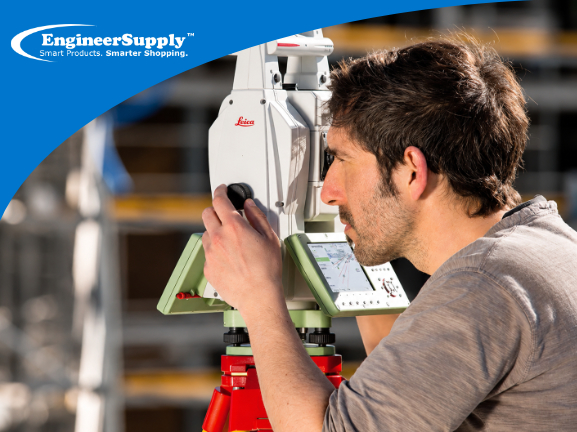
A Leica TS13 total station is a precision surveying instrument. When it is clean, calibrated, updated, and handled correctly, it helps survey crews work faster and produce more consistent field results. When maintenance is ignored, small problems can turn into measurement drift, target-locking issues, setup errors, or costly downtime.
This guide explains how to maintain a Leica TS13 total station with a practical daily, weekly, monthly, and annual routine. It also covers common warning signs, troubleshooting tips, and when to send your TS13 in for professional calibration or repair.
Leica TS13 Maintenance Checklist
Use this quick checklist to keep your Leica TS13 in good working condition.
| Maintenance frequency |
What to check |
Why it matters |
| Daily |
Clean optics, inspect for the moisture, check body, secure transport |
Prevents dirt, water, and handling issues from affecting field performance |
| Weekly |
Check tribrach, battery fit, charging ports, AutoHeight readings, and setup stability |
Helps catch small problems before they affect measurements |
| Monthly |
Test EDM distance, leveling, tilt compensation, ATR/target tracking, and prism response |
Confirms the instrument is still performing consistently |
| After impact or unusual readings |
Stop and inspect the instrument, run field checks, and schedule service if needed |
Drops, vibration, or repeated errors can affect internal alignment |
| Annually |
Schedule professional calibration and service |
Confirms accuracy, alignment, and overall instrument condition |
Leica TS13 Parts That Need Regular Attention
Before building a maintenance routine, it helps to understand which parts of the Leica TS13 need the most care.
Important systems include:
- Optics and lenses
- EDM distance measurement system
- ATR or Automatic Target Recognition components
- AutoHeight system
- Compensator and leveling sensors
- Tribrach and mounting connection
- Battery contacts and charging ports
- Leica Captivate software
- Data storage, controller connection, and accessories
The TS13 is built for field use, but it is still a precision instrument. Dust, moisture, rough transport, outdated software, damaged accessories, or small alignment shifts can affect how it performs.
Daily Leica TS13 Maintenance Routine
Daily care is the easiest way to prevent unnecessary service problems. These steps should be part of every crew’s routine before and after field work.
1. Clean the optics carefully
Clean the optics before and after use, especially when working around dust, wind, rain, mud, or construction debris.
Pay close attention to:
- EDM lens
- ATR window
- Telescope lens
- Display screen
- Keyboard and buttons
- Ports and connectors
Use a clean microfiber cloth or lens-safe cleaning material. Do not use paper towels, rough cloth, dirty rags, or abrasive cleaners. Wipe gently and avoid pressing hard on lens surfaces.
If dirt is stuck on the lens, do not scrape it. Use proper optical cleaning tools or contact a service technician if you are unsure.
2. Inspect for dust, mud, and moisture
After every job, inspect the instrument body before putting it back in the case.
Check for:
- Mud around the base
- Dust near the lens or display
- Moisture on the body
- Water inside the case
- Debris around ports or battery contacts
If the TS13 gets wet, do not immediately seal it inside the case. Wipe the outside, allow the instrument and case to dry properly, and avoid trapping moisture inside the storage case.
3. Check the battery and contacts
Power problems can interrupt field work and sometimes look like instrument problems. Before heading out, make sure batteries are charged and seated correctly.
Check:
- Battery charge level
- Battery fit
- Charging contacts
- Dirt or corrosion around terminals
- Charger condition
- Spare battery availability
Use compatible Leica batteries and chargers. Poor-quality or incompatible batteries can create power interruptions, charging problems, or unreliable field performance.
4. Handle transport carefully
Many total station problems begin during transport, not during measuring.
Before moving the TS13:
- Turn it off correctly
- Secure the instrument in its case
- Make sure accessories are stored in the right compartments
- Do not place heavy tools on top of the case
- Avoid loose transport in trucks or vans
- Keep the case stable during travel
Even if the case looks strong, repeated vibration, hard impacts, or poor storage can affect instrument alignment over time.
Weekly Leica TS13 Performance Checks
Weekly checks help catch small issues before they become expensive repairs or field errors.
1. Check the tribrach and base
A stable setup starts with the tribrach. If the base is loose, stiff, dirty, or unstable, your measurements can suffer even if the total station itself is working properly.
Check that:
- The tribrach rotates smoothly
- Locking mechanisms hold properly
- Screws and knobs move correctly
- The instrument seats securely
- There is no unusual movement after setup
If the base feels loose or inconsistent, inspect the tribrach before assuming the total station is the problem.
2. Test AutoHeight readings
The Leica TS13 includes AutoHeight to help reduce manual instrument-height errors. Even so, crews should still check readings regularly against known references.
Once a week, compare AutoHeight results against a known control point or a carefully measured instrument height. If the readings are inconsistent, repeat the setup and check for environmental, setup, or sensor-related causes.
If mismatches continue, schedule inspection or service.
3. Inspect accessories
A total station maintenance routine should also include the equipment used with the instrument.
Check:
- Tripod stability
- Prism condition
- Prism pole level
- Controller connection
- Radio handle or communication accessories
- Cables and chargers
- Carrying case condition
A damaged prism, unstable tripod, or loose pole can create field problems that appear to come from the TS13.

Software and Firmware Care for Leica TS13
Software maintenance is just as important as cleaning and storage. The Leica TS13 works with Leica Captivate field software, and updates may improve performance, compatibility, stability, and field workflows.
Keep Leica Captivate software updated
Check for Leica Captivate updates regularly, especially if you notice slow response, controller connection issues, or unusual field behavior.
Use official Leica update sources. Avoid downloading firmware or software files from unverified websites.
Use Leica myWorld for updates and resources
Leica myWorld is the official portal for product resources such as software releases, manuals, product information, and support materials. Registering your equipment helps make it easier to access the correct updates and documentation.
Before updating, confirm that your instrument, controller, and software versions are compatible. If your equipment uses a Customer Care Package or dealer-managed update process, check your coverage or contact your Leica dealer before making changes.
Run field adjustment checks when needed
Run available check and adjustment routines when appropriate, especially after:
- Long transport
- Sudden temperature changes
- Repeated measurement differences
- Unusual target-locking behavior
- A suspected bump or impact
These checks help confirm that the instrument is behaving consistently before you use it on critical work.
Monthly Leica TS13 Accuracy Checks
Monthly checks are deeper than daily cleaning or weekly setup inspections. They help confirm the total station is still performing consistently.
1. Test EDM distance measurements
Measure a known baseline or known distance and compare the result with expected values. Repeat the test under stable conditions and record the results.
If the distance readings are repeatedly outside your acceptable tolerance, the TS13 may need calibration or service.
2. Check leveling and compensation
Leveling errors can affect layout, elevations, and stakeout work. Check the instrument’s setup stability and confirm that the compensator is performing as expected.
If leveling feels inconsistent, inspect the tripod, tribrach, instrument mount, and setup surface before assuming the instrument itself is defective.
3. Test ATR and prism tracking
If your TS13 is configured with ATR, lock, or robotic functions, test how reliably it finds and tracks the prism.
Watch for:
- Slow target recognition
- Repeated loss of lock
- Difficulty finding the prism
- Inconsistent tracking
- Problems that happen only with one prism or pole
If the problem only happens with one accessory, inspect that accessory first. If the issue repeats across multiple setups and accessories, schedule service.
Proper Storage for a Leica TS13 Total Station
Storage affects long-term reliability. Even a well-maintained instrument can develop issues if it is stored in damp, hot, unstable, or poorly protected conditions.
Store the TS13 in a dry location
Avoid damp rooms, wet vehicles, direct sunlight, or extreme temperature swings. Moisture is one of the biggest risks for precision electronics and optics.
If the case becomes wet, dry both the instrument and case before storage. Silica gel packs may help reduce moisture inside the case, but they should not replace proper drying.
Use the original case
The original Leica case is designed to protect the instrument during storage and transport. Do not replace the fitted case with loose padding or an unprotected toolbox.
Do not stack heavy equipment on the case
Avoid placing heavy tools, tripods, boxes, or other equipment on top of the TS13 case. Constant pressure and impact can damage the case or transfer force to the instrument.
Annual Leica TS13 Calibration and Service
Even if your Leica TS13 appears to be working correctly, annual calibration is a smart maintenance practice for survey crews that rely on consistent accuracy.
Professional service can check:
- Optical alignment
- EDM distance performance
- ATR performance
- AutoHeight consistency
- Compensator behavior
- Mechanical condition
- Firmware/software condition
- Battery and power issues
- General instrument performance
Skipping calibration can allow small problems to go unnoticed until they affect field results. If your TS13 is used heavily, transported often, or used on high-accuracy work, service may be needed more than once per year.
Leica TS13 Troubleshooting Guide
Use this table to identify common maintenance-related issues.
| Problem |
Possible cause |
What to do |
| Target locking is slow |
Dirty ATR window, prism issue, tracking configuration, alignment issue |
Clean optics, test another prism, check settings, schedule service if repeated |
| EDM readings drift |
Dirty lens, atmospheric conditions, baseline issue, calibration issue |
Clean optics, retest known distance, record results, schedule calibration if repeated |
| AutoHeight readings do not match |
Setup issue, reference error, sensor issue |
Repeat setup, compare with known reference, schedule inspection if mismatch continues |
| Unit will not power reliably |
Battery issue, dirty contacts, charger issue |
Clean contacts, test another battery, inspect charger |
| Instrument was dropped |
Internal alignment may be affected |
Stop using for critical work and send for inspection |
| Moisture was found in the case |
Wet storage or poor drying |
Dry instrument and case fully before storage; inspect for recurring moisture |
| Controller connection is unstable |
Software mismatch, radio issue, battery issue, connection setting |
Check software versions, restart devices, inspect accessories |
| Setup feels unstable |
Tripod, tribrach, or mounting issue |
Inspect tripod, tribrach, screws, clamps, and setup surface |
Common Leica TS13 Maintenance Mistakes
Avoid these common problems:
- Cleaning lenses with rough cloth or paper towels
- Packing the instrument while it is still wet
- Ignoring repeated measurement differences
- Using incompatible batteries or chargers
- Skipping software updates for long periods
- Storing the case in a damp location
- Letting untrained crew members handle the instrument without guidance
- Assuming every field issue is caused by the total station instead of checking accessories
- Continuing to use the instrument after a drop or hard impact
Small mistakes can lead to larger issues over time, especially when the instrument is used daily in demanding field conditions.
When to Send Your Leica TS13 for Service
Some issues should be handled by a qualified service team instead of field troubleshooting.
Send your Leica TS13 for service if you notice:
- Repeated measurement errors
- Target locking delays that do not improve after cleaning
- AutoHeight mismatches
- EDM readings that fail known-distance checks
- Problems after a drop or impact
- Moisture exposure
- Unusual noises or movement
- Power issues that continue with known-good batteries
- Controller or robotic operation problems that persist after software checks
Trying to force a repair in the field can make the problem worse. For important survey, layout, or construction work, schedule inspection before the instrument affects project results.
Leica TS13 Maintenance Tips for Survey Crews
Build these habits into your field routine:
- Keep a dedicated microfiber cloth in the case
- Store silica gel packs in the case and replace them when needed
- Log unusual readings or field behavior
- Train new crew members on handling and transport
- Check the tripod, tribrach, prism, and pole before blaming the instrument
- Keep batteries charged and rotated
- Use official software and firmware sources
- Schedule calibration before major projects, not after problems appear
Keep Your Leica TS13 Ready for Field Work
Good Leica TS13 maintenance comes down to a consistent routine: clean it daily, check the setup weekly, test accuracy monthly, keep software updated, store it properly, and schedule professional calibration at least once a year.
If your TS13 shows repeated measurement errors, target-locking delays, AutoHeight mismatches, or signs of impact damage, schedule service before using it on critical work.
Engineer Supply can help with Leica TS13 diagnostics and can assist in arranging Leica-authorized service, calibration, and repair so your instrument stays ready for field use.
Leica TS13 Service, Calibration, and Repair Support
For a quote or personalized guidance:
Call or Text: 434-755-7717
Email: sales@engineersupply.com
Need assistance with your Leica TS13?
Our service repair team can help with Leica TS13 repairs, calibration, diagnostics, and general maintenance support.
Customer Support: 800-591-8907
Repairs & Maintenance: Call or Text 434-200-8477
Frequently Asked Questions About Leica TS13 Maintenance
How often should a Leica TS13 be calibrated?
Most survey crews should schedule professional calibration at least once per year through a Leica-authorized service center. Heavy use, frequent transport, rough conditions, high-accuracy work, drops, or repeated measurement issues may require more frequent service.
How do you clean a Leica TS13 total station?
Use a clean microfiber cloth or lens-safe cleaning material. Clean the EDM lens, ATR window, telescope lens, display, and body gently. Do not use rough cloth, paper towels, abrasive cleaners, or excessive pressure on optics.
Can moisture damage a Leica TS13?
Yes. Moisture can affect optics, electronics, battery contacts, and internal components. If the instrument or case gets wet, dry both properly before storage.
Why is my Leica TS13 losing target lock?
Target-locking issues may come from dirty optics, prism problems, setup conditions, software settings, battery problems, or an internal alignment issue. Clean the optics, test another prism, check settings, and schedule service if the issue continues.
What should I do if my Leica TS13 was dropped?
Stop using it for critical work and send it for inspection. Even if the outside looks fine, a drop can affect internal alignment or measurement performance.
How do I update Leica Captivate software?
Use official Leica resources such as Leica myWorld or your authorized Leica dealer. Confirm compatibility between the total station, controller, and software version before updating.
What batteries should I use with a Leica TS13?
Use batteries and chargers that are compatible with Leica TS13 equipment. Incompatible or low-quality batteries can cause unreliable power, charging issues, or field interruptions.
What is AutoHeight on the Leica TS13?
AutoHeight helps measure instrument height with a button press, reducing manual measurement errors. Crews should still verify AutoHeight readings periodically against known references.
What is ATR on a Leica TS13?
ATR stands for Automatic Target Recognition. It helps the instrument recognize and aim at a prism, improving workflow for compatible measuring and robotic configurations.
When should I send my Leica TS13 for repair?
Send it for repair if you notice repeated measurement errors, target-locking delays, AutoHeight mismatches, moisture exposure, power problems, or any issue after a drop or impact.
More Leica TS13 Resources