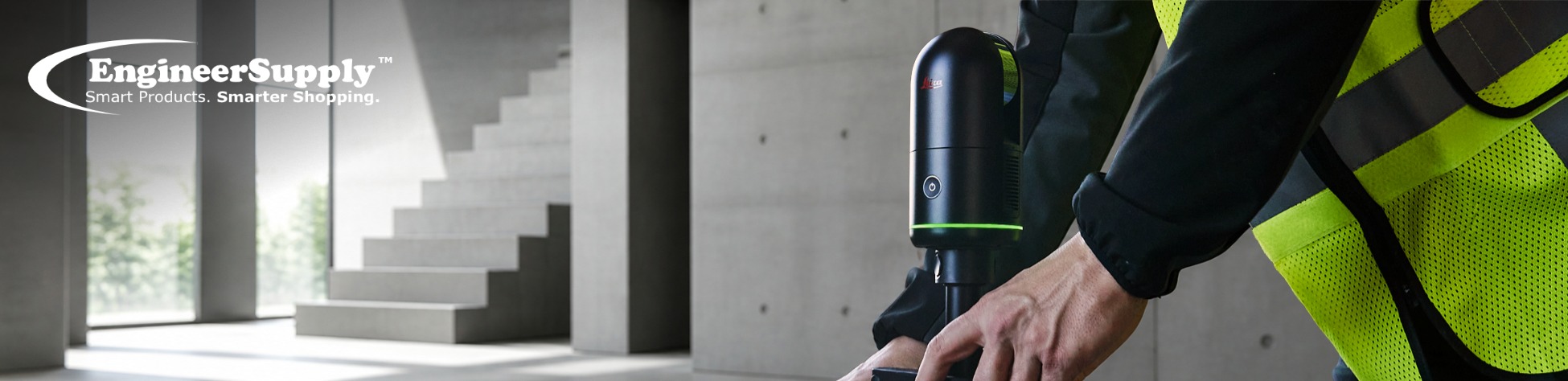
Portable laser scanners have reshaped how professionals document real-world environments. Instead of relying on manual measurements or incomplete drawings, teams can now capture a full 3D representation of a site in minutes.
One of the most widely used tools in this space is the Leica BLK360 G2 laser scanner.
Known for its compact design and fast capture speed, it allows users to scan spaces, collect measurements, and generate usable data with minimal setup.
Today, this technology plays a central role in construction, architecture, engineering, and facility management workflows. It is no longer a niche solution; it has become a standard method for capturing real-world conditions.
What a Portable Laser Scanner Actually Does
A portable laser scanner captures the shape and position of objects by emitting laser pulses and measuring how long they take to return.
The result is a point cloud, a dense collection of millions of data points that represent the scanned environment.
This data includes:
- Walls, ceilings, and floors
- Equipment, pipes, and structures
- Distances and spatial relationships
Instead of measuring one element at a time, everything is captured simultaneously. This creates a complete digital record that can be used for design, planning, and validation.
Why the Leica BLK360 G2 Stands Out
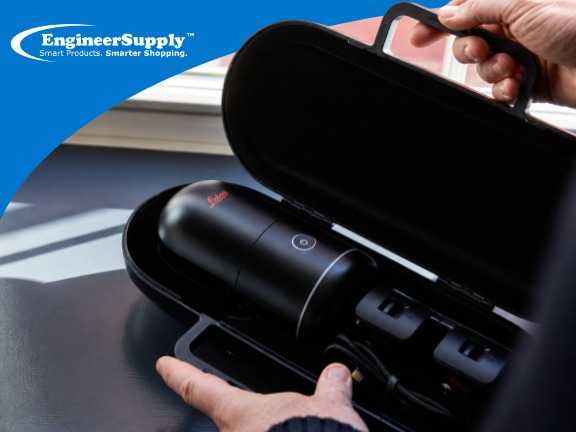
The Leica BLK360 G2 combines speed, simplicity, and strong data output, making it a practical tool for both small teams and large-scale operations.
Key Capabilities
1. Fast Reality Capture
- Full dome scan in as little as 20 seconds
- Captures both geometry and imagery in a single workflow
- Ideal for time-sensitive job sites
2. High-Quality Imaging
- 4 HDR cameras capture spherical images
- Up to 13 MP per camera
- Produces clear, immersive visual context for scans
3. Automatic Scan Alignment (VIS Technology)
- Built-in Visual Inertial System (VIS) tracks movement
- Automatically aligns scans in real time
- Reduces manual registration work
4. Improved Data Storage
- Up to 180 GB internal storage
- Handles:
300+ setups (Dense + HDR)
1500+ setups (Fast + LDR)
5. Simple Operation
- One-button scanning
- Controlled via mobile devices (iOS/Android)
- Minimal training required
6. Flexible Data Workflow
- USB-C and wireless transfer
- Works with Leica Cyclone REGISTER 360
Outputs:
- 3D BIM models
- 2D CAD drawings
- Meshes and 360 tours
Leica BLK360 G2 Scanner Specifications
| Feature |
Specification |
| Scanner Type |
Imaging laser scanner with HDR and VIS system |
| Scan Speed |
Full dome scan in ~20 seconds |
| Distance Measurement |
Time-of-flight (Waveform Digitizing) |
| Range |
0.5 m to 45 m |
| Laser Class |
Class 1 (eye-safe) |
| Wavelength |
830 nm |
| Field of View |
360° (horizontal) / 270° (vertical) |
| Point Measurement Rate |
Up to 680,000 pts/sec |
| Accuracy |
~4 mm at 10 m |
Leica BLK360 G2 Imaging & HDR Capabilities
| Feature |
Specification |
| Camera System |
4 integrated HDR cameras |
| Image Resolution |
13 MP per camera |
| Full Dome Capture |
360° spherical imagery |
| HDR Modes |
Auto-exposed, 5-bracket HDR |
| Capture Speed |
~8 sec (LDR), ~20 sec (HDR) |
Performance & Data Capture
| Feature |
Specifications |
| Scan Time |
<20 seconds (full dome) |
| Data Acquisition |
Automatic with real-time tracking |
| Alignment |
VIS (Visual Inertial System) |
| Workflow |
Automatic scan stitching |
| Measurement |
Post-processing “virtual measurement” |
Storage & Data Handling
| Feature |
Specifications |
| Internal Storage |
Up to 180 GB |
| Capacity |
300+ dense scans / 1500+ fast scans |
| Data Transfer |
USB-C + Wi-Fi |
| Mobile Control |
iOS & Android (BLK Live App) |
Design & Physical Specs
| Feature |
Specifications |
| Housing |
Black anodized aluminum |
| Height |
155 mm |
| Diameter |
80 mm |
| Weight |
~0.75 kg |
| Mounting |
Quick-release button system |
| Portability |
Single-operator use |
Leica BLK360 G2 Power & Battery
| Feature |
Specifications |
| Battery Type |
Internal Li-ion |
| Capacity |
Up to 70 scan setups per charge |
| Charging |
Multicharger included |
Leica BLK360 G2 Environmental Conditions
| Feature |
Specifications |
| Operating Temperature |
0°C to +40°C |
| Protection |
IP54 (dust & splash resistant) |
| Usage |
Indoor and outdoor |
Leica BLK360 G2 Software & Processing
| Feature |
Specifications |
| Desktop Software |
Cyclone REGISTER 360 |
| Cloud Platform |
HxDR Reality |
| Functions |
Registration, cleaning, export |
| Outputs |
BIM, CAD, mesh, point cloud, 360 tours |
BLK360 G2 vs Typical Portable Scanner
| Feature |
BLK360 G2 |
Typical Scanner |
| Scan Time |
~20 sec |
2–5 minutes |
| Alignment |
Automatic (VIS) |
Manual |
| Storage |
180 GB |
Limited |
| Ease of Use |
One-button |
Multi-step setup |
| Imaging |
4 HDR cameras |
Basic or none |
| Portability |
Very compact |
Bulkier |
Top Applications of the Leica BLK360 G2 Portable Laser Scanners
1. Scan-to-BIM and As-Built Documentation
Laser scanning is widely used to create accurate BIM models from real-world conditions.
Benefits:
- Captures true site geometry
- Supports renovation and retrofit projects
- Helps compare design vs actual build
2. Construction Progress Tracking
On active job sites, scanning helps monitor progress and verify work.
Benefits:
- Detect issues early
- Keep projects on schedule
- Improve coordination between teams
3. Renovation and Retrofit Planning
Older buildings often lack reliable documentation.
Benefits:
- Teams get a full digital model of the structure
- Planning becomes faster and more reliable
- Risks are reduced before work begins
4. Industrial and Plant Layouts
Factories and plants require careful spatial planning.
Benefits:
- Map complex equipment setups
- Plan installations and maintenance
- Improve safety and workflow efficiency
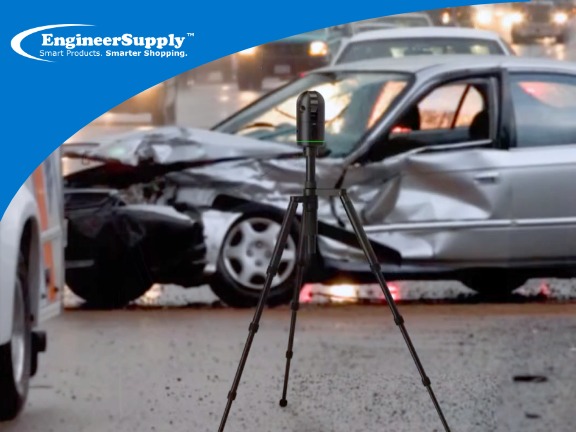
5. Public Safety and Forensics
The BLK360 G2 is widely used for documenting:
- Crime scenes
- Accident sites
- Disaster areas
Benefits:
- Fast capture with minimal disruption
- Reliable data for investigation and analysis
6. Architecture, BIM, and Design
Architects and designers rely on accurate site data.
Benefits:
- Better design decisions
- Faster modeling workflows
- Improved accuracy in planning
7. Facility Management
Facility teams need up-to-date building data.
Scanning supports:
- Space planning
- Asset tracking
- Digital twin creation
8. Media, Film, and VFX
In digital production, real environments are scanned and recreated.
Use cases include:
- Film set capture
- Game environment creation
- Virtual production workflows
9. Cultural Heritage Preservation
For historical sites, scanning provides a safe way to document structures.
Benefits:
- Preserve details digitally
- Support restoration work
- Maintain long-term records
10. Real Estate and Virtual Tours
Real estate professionals use scanning to:
- Create virtual walkthroughs
- Measure properties accurately
- Improve property presentations
How to Use Leica BLK360 G2 Laser Scanners
Using the Leica BLK360 G2 in the field is simple:
- Set up the scanner
- Press a single button to start scanning
- Use a phone or tablet to control and preview data
- Capture multiple scan positions
- Data aligns automatically using VIS
- Transfer data for processing
Leica BLK360 G2 Postable Scanners Data Processing and Deliverables
After scanning, data is processed using Cyclone REGISTER 360.
Processing Includes:
- Scan alignment and registration
- Data cleaning
- Quality control
- Export to multiple formats
Final Outputs:
- BIM-ready models
- CAD drawings
- Mesh models
- 360-degree visual tours
Portable Scanning vs Traditional Surveying
| Feature |
Portable Laser Scanning |
Traditional Surveying |
| Speed |
Very fast |
Slower |
| Data Type |
Full 3D environment |
Individual points |
| Coverage |
Complete capture |
Limited points |
| Visualization |
3D models |
2D drawings |
| Best Use |
Design, BIM, analysis |
Legal, boundaries |
Both methods are valuable, but scanning adds speed and full-site visibility.
How to Choose the Right Portable Scanners
Before selecting a 3D scanner, consider:
- Required level of detail
- Project timeline
- Ease of use in the field
- Software compatibility
- Data storage and processing needs
The Leica BLK360 G2 is often chosen because it balances ease of use with strong performance, making it suitable for a wide range of industries.
Need Help Choosing the Right Portable Laser Scanner?
At Engineer Supply, we support surveyors, engineers, architects, and construction teams in finding the right portable laser scanner for their work. Whether you are working on site documentation, BIM modeling, or large-scale construction projects, our team can help you choose equipment that fits your needs and workflow, including the Leica BLK360.
For a Quote or Personalized Guidance:
Call or Text: 434-755-7717
Email: sales@engineersupply.com
Need Service or Support?
Our Service Repair Team also provides help with maintenance, troubleshooting, and equipment care so your scanner stays ready for job site use.
Customer Support: 800-591-8907
Repairs & Maintenance: Call or Text 434-200-8477
More Articles on Leica