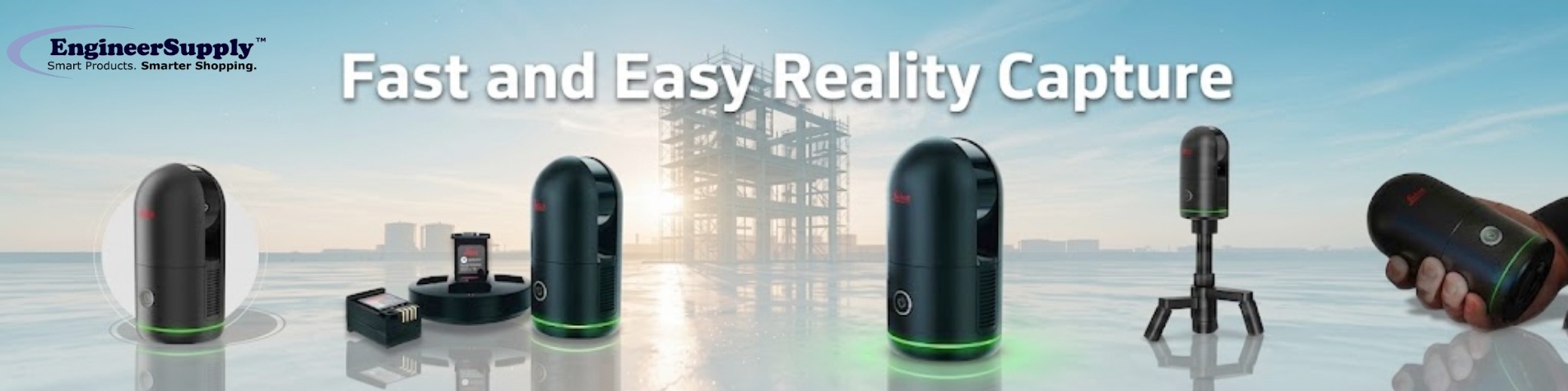
Reality capture is the process of recording real spaces and turning them into a digital 3D model. It uses scanning equipment to collect positional data so it can be viewed and reviewed on a computer.
Instead of manual measuring, surveying equipment and scanner records the full environment in one capture. The output is a digital copy of the space that can be used for planning and design work.
This digital output is often called a digital twin. It represents real-world conditions such as shape, size, and surface detail.
Reality capture is commonly used in:
- Construction
- Architecture
- Engineering
- Surveying
- Media and design
What is the BLK360 G2
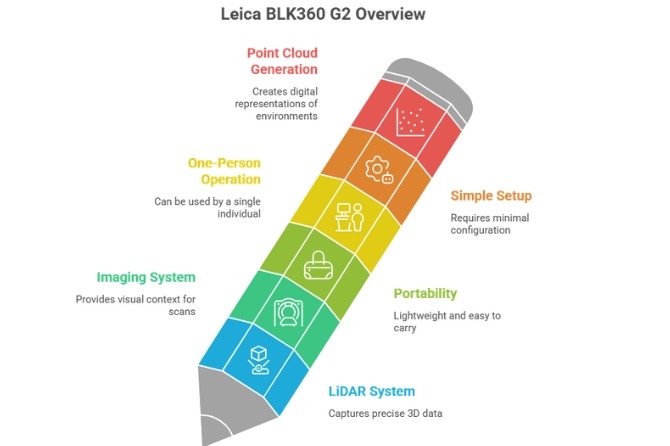
The Leica BLK360 G2 is a compact laser scanning instrument used for reality capture. It captures site data using LiDAR and imaging systems.
It is lightweight and can be operated by one person in the field without complex setup.
During scanning, it collects millions of measurement points. These points form a point cloud, which represents the physical environment in digital form.
How the BLK360 captures and processes data
The BLK360 records site conditions through a structured scanning process.
It captures the environment using LiDAR, which sends laser signals to surfaces and measures return time to determine distance and shape.
The scanner rotates 360 degrees to record the full site. It also captures HDR images to record lighting and surface detail.
Each scan position is linked using motion tracking. This helps combine multiple scans into a single dataset.
After capture, data is transferred to processing software such as Cyclone REGISTER 360 or Reality Cloud Studio. The software organizes the data into a complete 3D model.
The output supports measurement, documentation, and design review workflows.
BLK360 G2 features
The BLK360 G2 is built for field-based scanning work.
- Fast scanning for site capture
- Portable design for single-person operation
- Simple controls for field use
- Wireless and USB-C data transfer
- Dense point cloud output for modeling
Software used with BLK360
BLK360 Cyclone REGISTER 360 combines multiple scans into a unified model and organizes point cloud data.
Reality Cloud Studio provides cloud-based access for viewing and sharing scan data between field and office teams.
Cyclone 3DR supports analysis and conversion of scan data into usable 3D outputs for project workflows.
These tools support structured handling of scan data from capture to delivery.
Where BLK360 is used
BLK360 is used in work that requires clear records of sites and conditions.
- Architecture: Existing building documentation
- Construction: Site progress tracking and comparison
- Engineering: Measurement verification and design support
- Surveying: Land and structure capture
- Media and visual production: 3D environment creation
- Heritage documentation: Recording and preserving old places
BLK360 compared to traditional measurement
Traditional site measurement relies on manual tools and repeated field checks.
BLK360 captures full positional data in a single scanning process.
- Time: Reduced field measurement time
- Detail: Captures full site conditions
- Site visits: Fewer return visits required
- Collaboration: Digital data can be shared across teams/li>
Benefits of BLK360 use
BLK360 supports project workflows by providing:
- Faster site documentation
- Reduced manual measurement work
- Consistent site records
- Easier data sharing
- Improved planning support
- Reduced information gaps
Common scanning challenges and how BLK360 addresses them
Reality capture can be affected by field conditions, but scanning workflows help manage these issues.
- Blocked areas: Multiple scan positions improve coverage
- Lighting variation: HDR imaging balances exposure
- Large datasets: Software supports structured data management
- Operator learning: Simple controls make setup easier
Tips for Better Scanning Results
- Plan scan positions before field work
- Keep scanner stable during capture
- Avoid movement during scanning
- Cover full site areas with sufficient scan points
- Review data when possible during field work
BLK360 and digital twin use
A digital twin is a digital representation of a physical space used for review and planning.
BLK360 supports digital twin creation by capturing full spatial data through scanning workflows.
After processing, the model supports:
- Design coordination
- Construction tracking
- Facility review
- Project documentation
Why BLK360 Reality Capture Matters Today
BLK360 is used to capture site data needed for planning and review. It helps construction, architecture, and engineering teams by providing clear and organized site information for better project coordination. Engineer Supply also offers BLK360 equipment with technical support, product guidance, calibration, and maintenance services to help you get the most out of your device.
For a Quote or Personalized Guidance:
Call or Text: 434-755-7717
Email: sales@engineersupply.com
Need Assistance with Your BLK360?
Our service and support team are here to help with any BLK360 setup, calibration, or maintenance services you may need.
Customer Support: 800-591-8907
Repairs & Maintenance: Call or Text 434-200-8477
More Articles on Leica